

Explore IntelSoft LMS features
Everything your organization needs to deliver secure learning, manage courses, certify teams, and measure training outcomes with confidence.
Launch fast with organized course management
Create course categories, assign learning paths, manage enrollments, and keep training operations simple for administrators and learners.
Learn more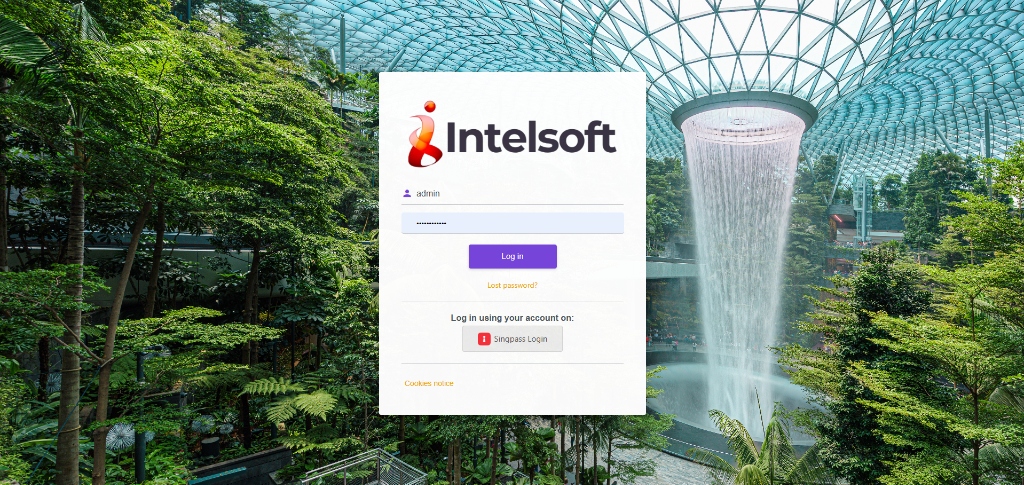
Bulk course and user setup
Upload users, organize departments, reuse course templates, and keep training launches consistent across teams.
Learn moreFlexible enrollment options
Support self-enrollment, manager-led assignments, mandatory learning, and controlled course visibility.
Learn more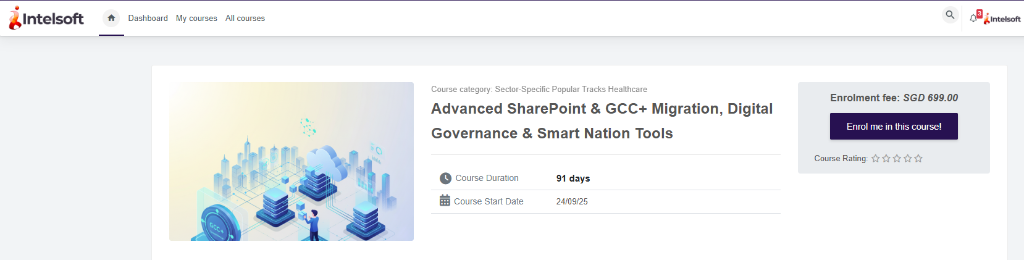
Present course details clearly before learners enroll
Show course information, fees, duration, start dates, and enrollment actions in one clear view so learners can understand each offering quickly.
Learn morePersonal learner dashboard
Give users one place to see assigned courses, completed learning, progress, and next actions.
Learn moreAdministration without clutter
Manage roles, departments, companies, permissions, and access visibility with practical admin workflows.
Learn moreHelp learners explore courses through categories and curated listings
Present course cards, category filters, and structured browsing paths in one clean catalog view so users can find the right training faster.
Learn more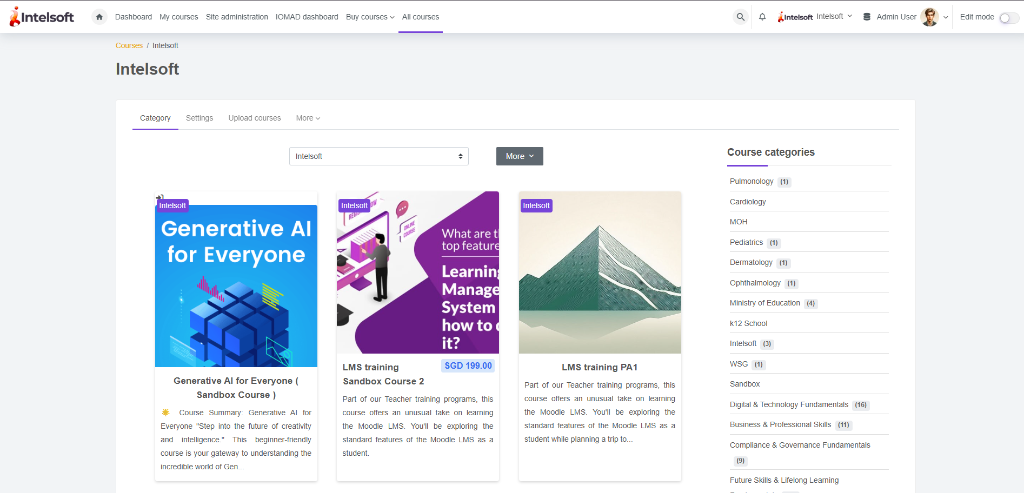
Digital certification
Issue branded certificates, manage expiry dates, support renewals, and keep completion records audit-ready.
Learn moreSecurity and governance
Use role-based access, controlled permissions, MFA-ready workflows, and governance reporting for sensitive learning programs.
Learn more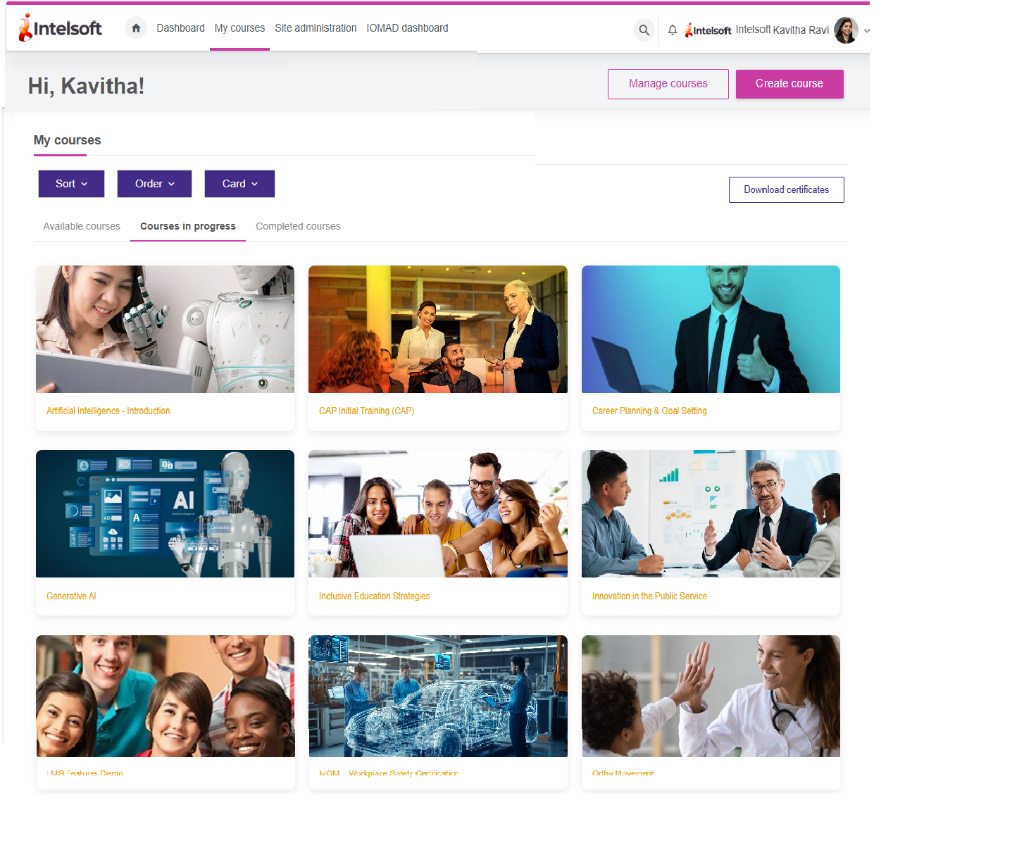
Keep every learner's courses visible in one focused workspace
Give users a clear My courses view with in-progress training, sorting controls, course cards, and quick access to certificates so they can continue learning without friction.
Learn moreAvailable courses
Let learners browse available training, understand course details, and start learning without admin support.
Learn moreMy courses view
Keep assigned and active courses visible so employees can return to learning quickly.
Learn moreRun assessments and learning resources in one place
Support quizzes, questions, resource libraries, course content previews, and assessment result tracking from the same LMS experience.
Learn more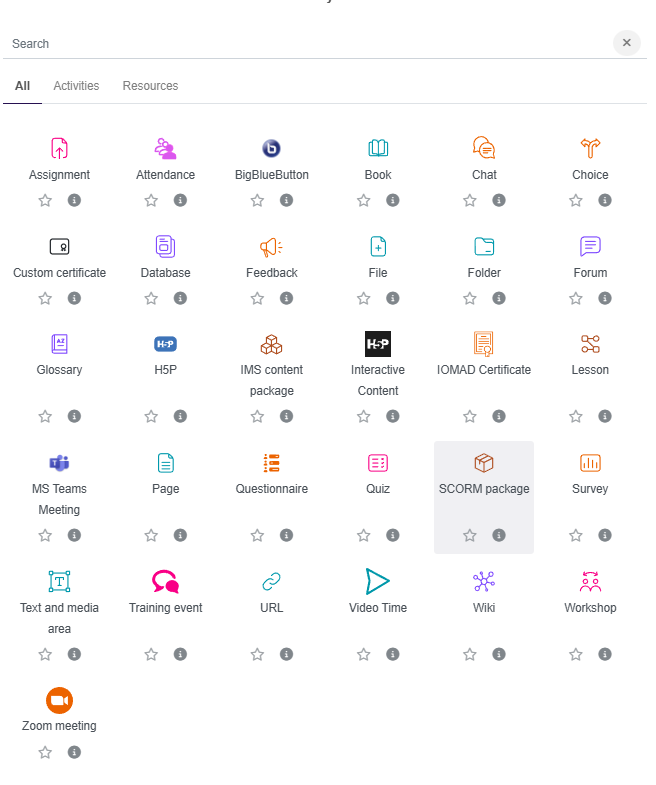
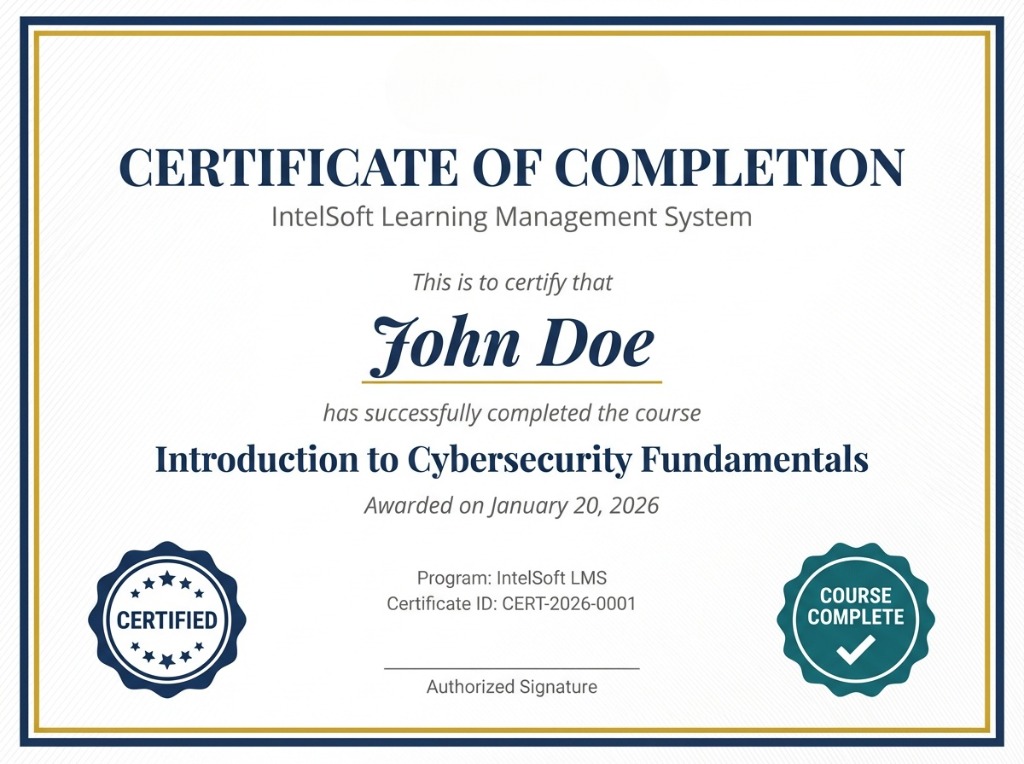
Keep certifications and governance audit-ready
Issue certificates, review completion evidence, manage compliance visibility, and support governance teams with exportable reporting views.
Learn moreManage companies, course actions, and support in one admin view
Give administrators one workspace for company controls, course tabs, management actions, and instant help through the built-in LMS assistant.
Learn more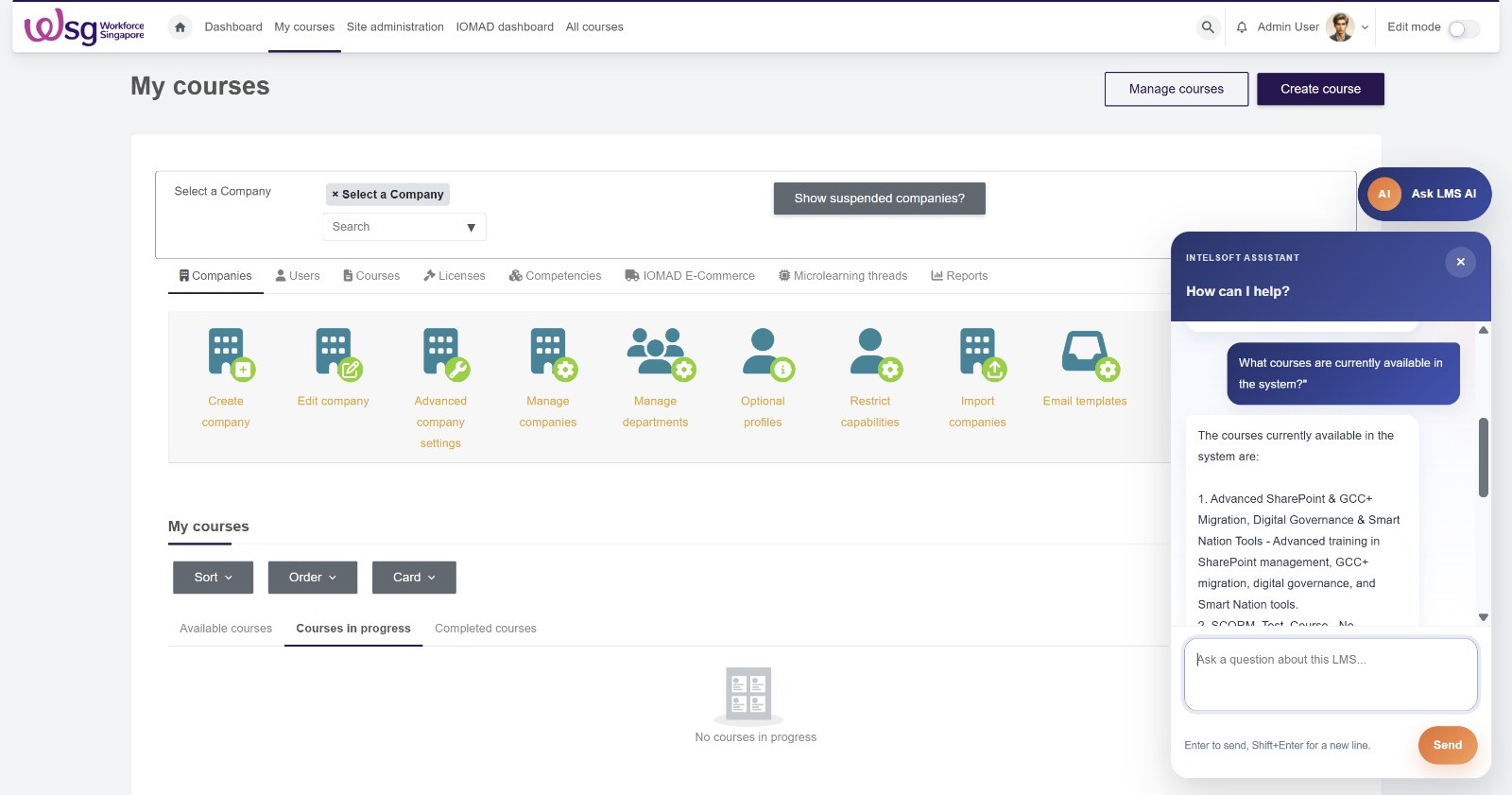
Support learners and administrators with AI-powered guidance
IntelSoft LMS can reduce support effort with assistants for course discovery, deadline reminders, assessment preparation, and knowledge responses from approved material.
24/7 learner support
Answer common questions about login, deadlines, certificates, enrollment, navigation, and assessments.
Course discovery
Help users find relevant courses by topic, role, department, certification, or compliance need.
Compliance reminders
Nudge learners about overdue courses, expiring certificates, and required renewal training.
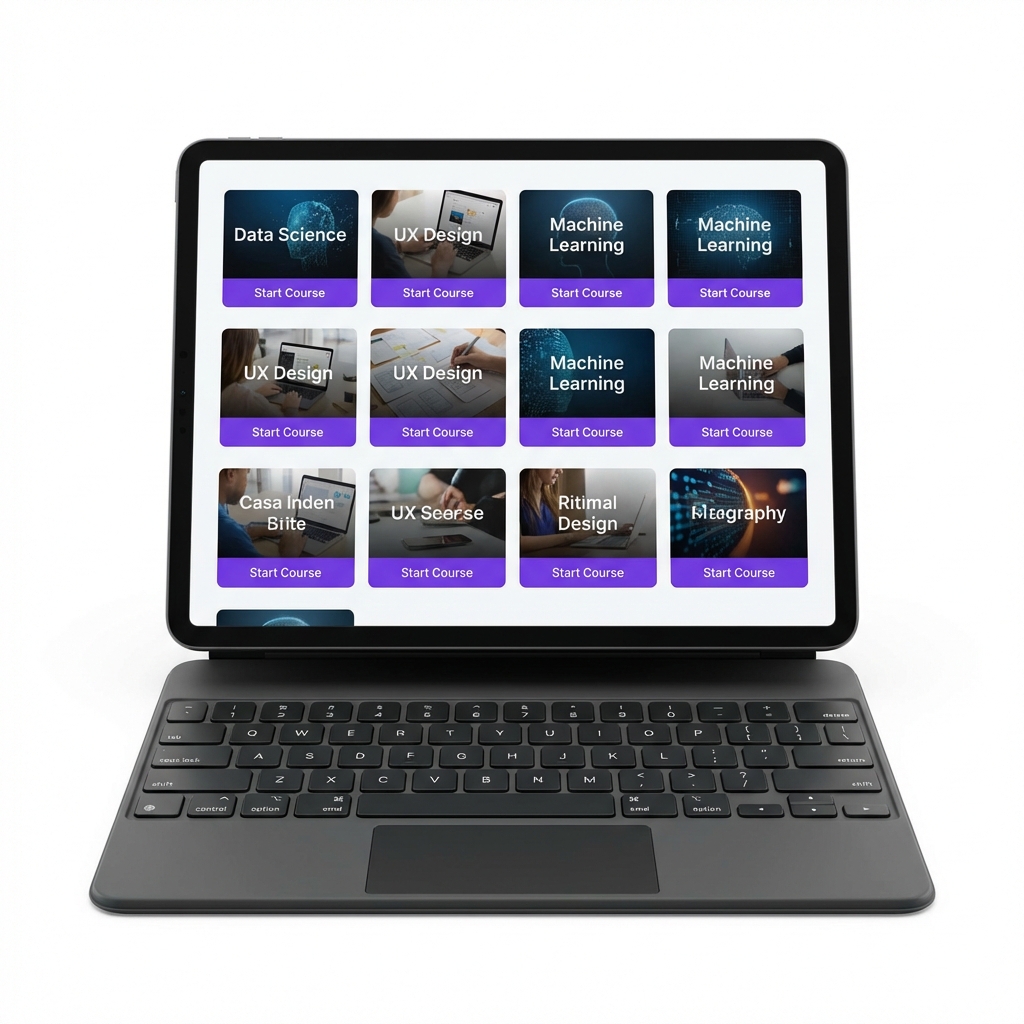
Give learners a responsive experience on every device
Keep dashboards, courses, certificates, and learning resources easy to access across desktop, tablet, and mobile workflows.
Learn moreSee IntelSoft LMS features in action
Book a guided walkthrough to review course management, learner dashboards, reporting, certification, governance, integrations, and AI support with your own training goals in mind.
Book a demoCreative enterprise LMS design with the polish of a modern software product
Built for public-sector and enterprise teams, IntelSoft LMS combines secure access, elegant learning experiences, analytics, certification, and AI support in one product-led platform that looks premium and feels easy to use.
- Mandatory onboarding Live
- Assessment review Today
- Certificate renewals 142
- AI learner support 24/7
Trusted access
SSO, MFA, controlled permissions, and department-aware visibility create a secure foundation for enterprise learning.
Structured delivery
Catalogues, paths, cohorts, blended resources, and reusable templates help teams launch training with clarity.
Insight-rich reporting
Completion, participation, progress, and compliance dashboards keep leaders informed without manual effort.
AI-powered guidance
Support assistants, discovery helpers, and reminder workflows reduce admin load and improve learner momentum.
A features page that feels like real software, not an old template
This new design uses layered visuals, stronger spacing, product storytelling, and actual LMS screens so visitors immediately understand the platform value.
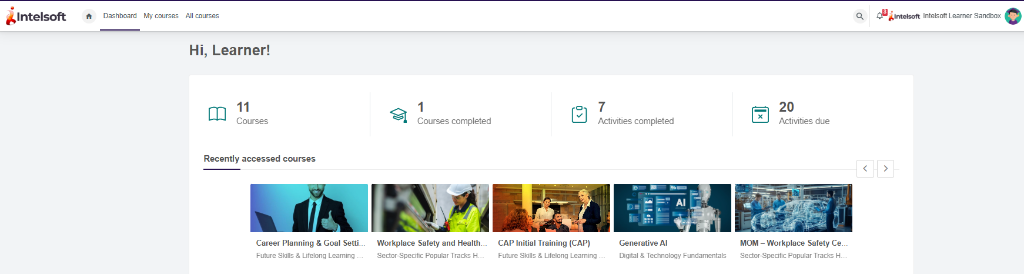
Give every learner a focused, modern home screen
The learner dashboard becomes the visual anchor of the page, showing the product as a clean digital workspace instead of just listing features in text blocks.
- Clear access to assigned, completed, and recommended courses
- Better visibility for deadlines, activity progress, and next actions
- A more premium first impression for demo requests and enterprise buyers
Show product depth through real management workflows
Instead of generic marketing cards, the page now presents course administration, content organization, and reporting as connected product stories.
- Course catalogs, user roles, and enrollment workflows feel operational and credible
- Strong visual hierarchy helps visitors scan what matters faster
- Works well for software buyers who want both design quality and proof of capability
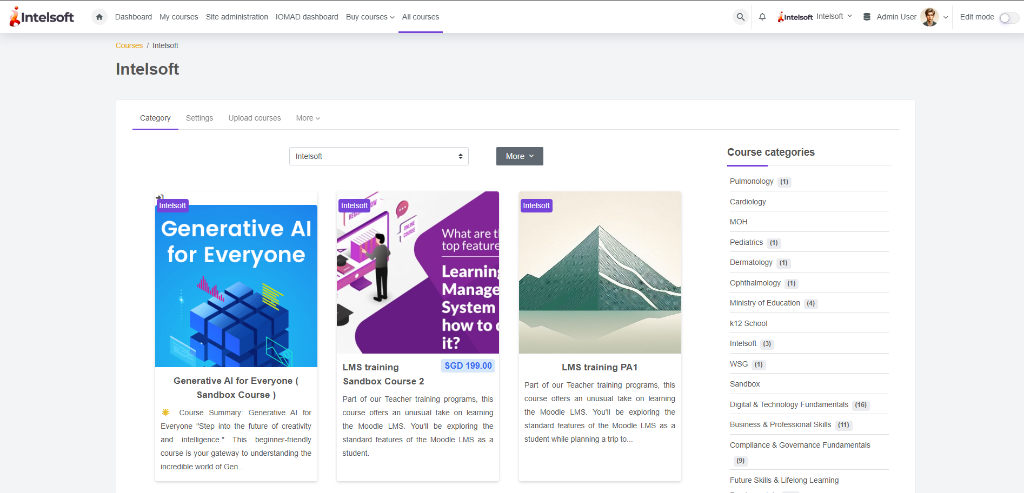
Real product visuals arranged like a polished SaaS showcase
Each card uses your existing LMS screenshots so the page remains truthful to the product while looking far more creative and high-end.
Course detail and enrollment
Present descriptions, modules, progress expectations, and enrollment access in one structured learning view.
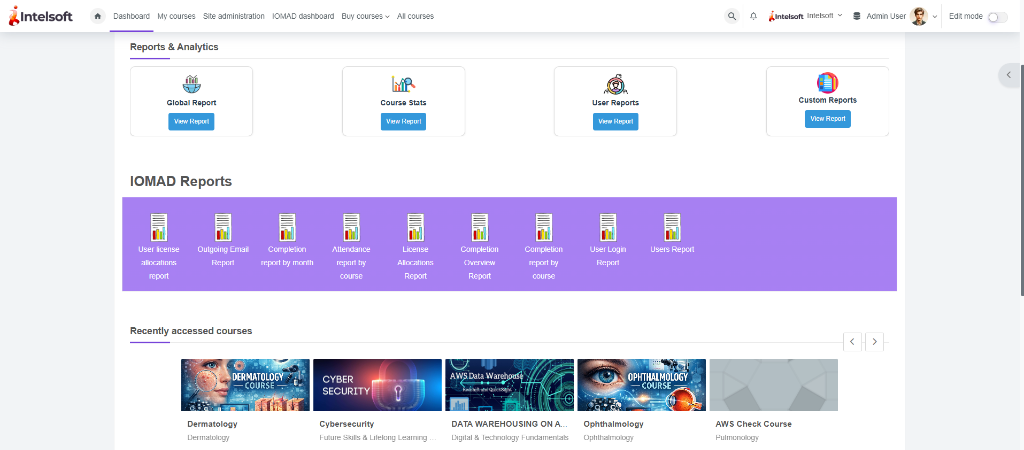
Operational reporting
Track usage, completion, participation trends, and readiness metrics in dashboards leadership can trust.
Verified digital certificates
Issue branded certificates with validation details, expiry windows, and easy compliance tracking.
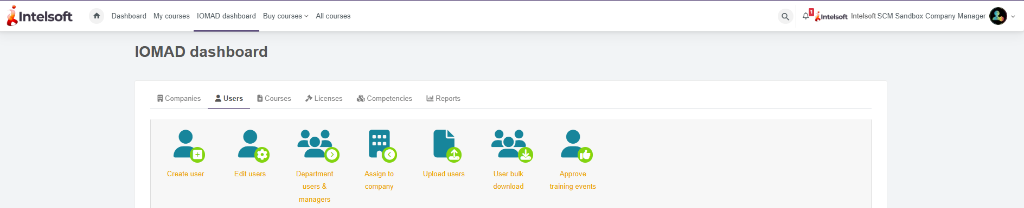
User and role management
Manage departments, users, visibility, and access control with less friction for administrators.
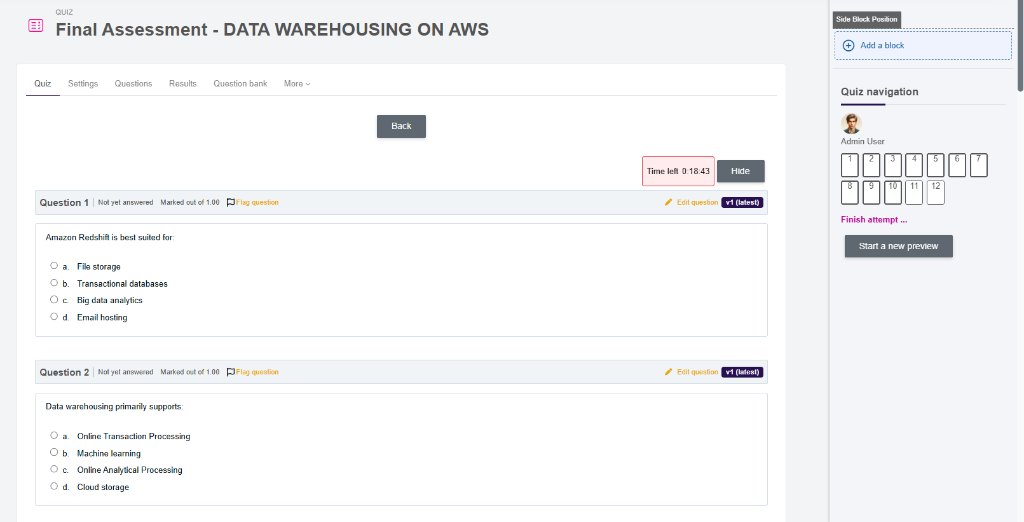
Interactive evaluations
Support quizzes, question banks, attempt rules, and richer feedback experiences for measurable learning.
Designed around the full training lifecycle
The layout now communicates a complete journey, which helps the page feel strategic and product-driven instead of visually old.
Discover
Help learners browse the right catalog, compliance path, or recommended skill track without confusion.
Enrol
Use self-enrollment, manager assignment, schedules, and role-based automation to launch learning faster.
Learn & Assess
Deliver SCORM, media, resources, quizzes, and practical assessments within one guided experience.
Certify & Report
Close the loop with completion evidence, certificates, analytics, and renewal visibility for every stakeholder.
Smarter support built directly into the learning experience
AI gives the platform a stronger software-company feel and adds practical value for both learners and administrators.
24/7 learner support
Answer common questions around login, enrollment, progress, deadlines, assessments, and certificates instantly.
Natural course discovery
Let users search for the right learning using plain language instead of navigating complicated structures.
Assessment preparation
Provide revision guidance, concept explanations, and practice support before critical evaluations.
Compliance nudges
Remind users about expiring certifications, overdue training, and mandatory learning actions before risk builds up.
Admin assistant
Help administrators find user issues, assignment gaps, and reporting answers without slow manual checks.
Knowledge responses
Surface answers from approved SOPs, policy documents, and internal learning material with better traceability.
Turn this features page into a stronger sales asset
The new design now looks much closer to the kind of polished interface modern software companies use on their websites, while still showcasing your actual LMS product and capabilities.